STAY IN TOUCH

People change.
Connections should stay.

Your contacts already live on your phone. EverEver helps keep them current — without replacing your address book.

✓ Validate contact details ✓ Complete missing information ✓ Keep a change history
Two friends sharing a moment at sunset Same people. New chapters.
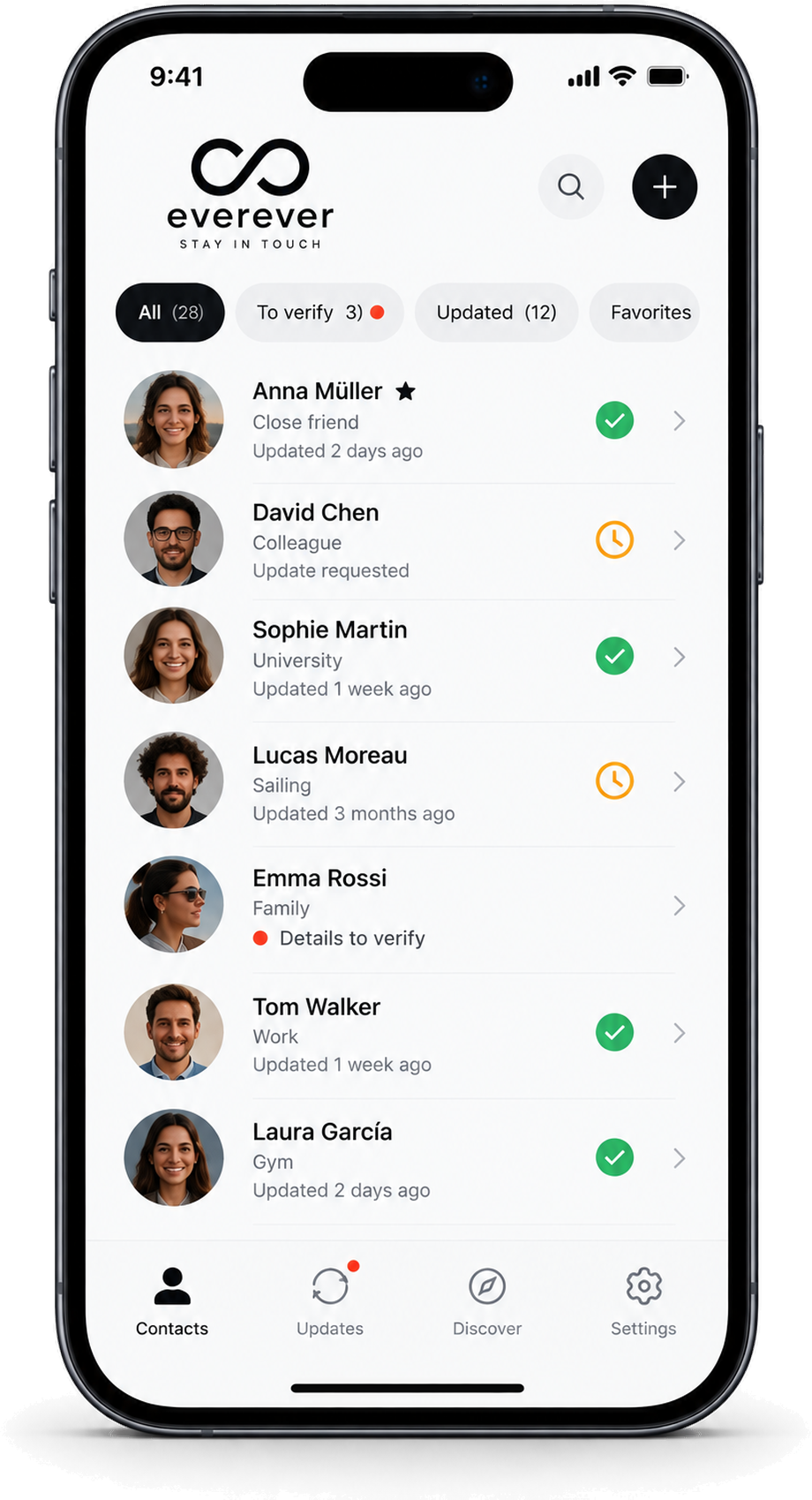
EverEver contact validation app shown on iPhone
↻
Request validationAsk a contact to confirm or complete their details.
⌂
Your address book stays yoursEverEver works with the contacts already on your phone.
○
No app required to replyRecipients can answer from a secure web link.
◷
History that mattersSee what changed and when.

HOW IT WORKS

Keep your address book current, without maintaining another one.

01

EverEver notices

When you add a new contact, EverEver can suggest asking them to validate their details.

02

You send a request

Ask for validation or missing information. You stay in control of what gets sent.

03

They reply on the web

No EverEver account is needed. They review, correct, complete, and submit.

04

You review the changes

EverEver shows what changed before you update the contact in your phone.

Friends at sunset
Connections should follow life, not get lost in it.

PRIVATE BY DESIGN

Your contacts stay where they belong.

EverEver is a maintenance layer for your address book, not a replacement for it.

  • Native address book. EverEver reads and updates contacts only with the permissions you grant.
  • Recipient control. A validation request is never an entitlement to someone’s information.
  • Profiles are optional. People can create personal, work, or other profiles to reply faster and share only what they choose.

HISTORY

Current contact. Visible past.

Your phone keeps the current value. EverEver keeps the useful story of how it changed.

AM
Anna MüllerContact history
15 Aug 2026
ValidatedNo changes
12 Mar 2026
Email updatedanna@oldmail.com → anna@vision.ch
04 Jun 2025
Phone updatedPrevious number retained in history

OPTIONAL EVER EVER PROFILE

One person. More than one context.

Create multiple profiles — personal, work, association, public — then choose which one to use when someone asks for your details.

PERSONAL

Anna

Mobile · personal email · home city

WORK

Anna Müller

Company · role · work email · office

PUBLIC

Anna M.

Website · selected contact details

EVER EVER

Stay in touch.

Join the early-access list and help shape the first release for iPhone and Android.